Introduction to Data Analytics in R

Megha Joshi

Introduction to This Course

  • Sharpen your data analytic skills in R

  • Prepare you for career paths including Data Analyst, Quantitative User Researcher, Data Scientist

  • Practice problems

  • Job search resources

Instructors

Megha Joshi, PhD

Photo of one of the instructors Megha Joshi

Expectations

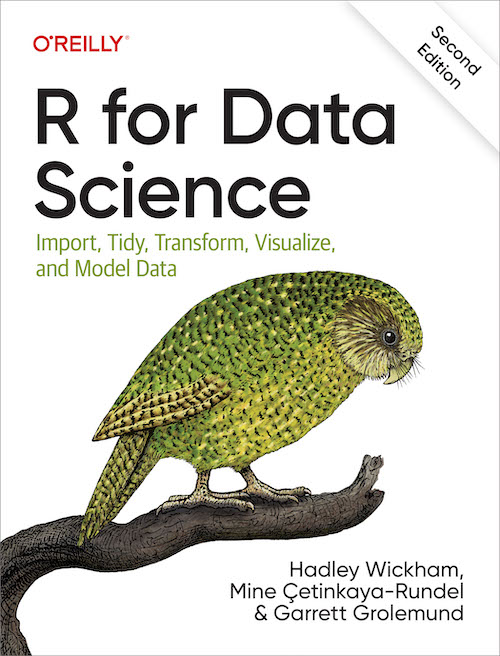
Cover of the R for Data Science Book Second Edition

  • Recommended readings

  • Practice problems - practice, practice, practice

  • Collaboration - Slack channel

Overview of Course

  • Introduction

  • Data visualization

  • Data querying and wrangling

  • Relational data

  • Strings and factors

  • Functions and iteration

  • …advanced topics to be added in the future

Introduction to R

Animated gif of the R logo with magenta and red hearts moving upward in a loop to the left of the "R."

Artwork by @allison_horst

Downloading

Logo for R Studio

R Studio - R Projects and Relative Path

  • Keep all materials related to a project (or a class) together in one place

  • The working directory is set to the base folder

  • You can set relative paths so other users are able to run code without messing too much with the working directory

  • Read more about how to set up projects here

  • If you are switching to Positron, the set up is a bit different ~ https://github.com/posit-dev/positron/discussions/5425

# absolute path - this won't work on someone else's computer
dat <- read.csv("/Users/meghajoshi/Desktop/R_course_2025/data/fifa_world_cup/women_wc/matches_1991_2023.csv")

# example of relative path
dat <- read.csv("data/fifa_world_cup_kaggle/women_wc/matches_1991_2023.csv")

Basics of R: Objects and Assignment

x <- 5
x
[1] 5
y <- 2
x + y
[1] 7
my_children <- c("Yori", "Moni", "Rumi")
my_children
[1] "Yori" "Moni" "Rumi"

R Packages

Please install the following packages:

install.packages("tidyverse") # data wrangling and viz
install.packages("readxl") # read excel files
install.packages("janitor") # clean messy data
install.packages("estimatr") # robust estimators

Coding Best Practices

Write Clean Code

  • Write code that is easy to read

  • Add spaces between things

    a<-c(1,2,3,4,5) # don't do this
    a <- c(1, 2, 3, 4, 5) # do this
  • In R, please use <- to assign

    x = 5 # don't do this
    x <- 5 # do this
  • Use _ instead of . as separation when naming objects

    my.color <- "blue" # don't do this
    my_color <- "blue" # do this
  • Some packages to help : lintr

Write Good Documentation

  • Helps with reproducibility

  • For yourself and for other people who may use your code

  • Write comments, chunk codes out into sections

Conduct Code Review

Hex sticker for Code Check Club

  • Process of systematically checking code

  • On your own or by someone else

  • Catch errors or suggest better ways to code

  • Check out the Code Check Club by Lisa De Bruine et al.

Use Version Control

Cartoon of the GitHub octocat mascot hugging a very sad looking little furry monster while the monster points accusingly at an open laptop with "MERGE CONFLICT" in red across the entire screen. The laptop has angry eyes and claws and a wicked smile. In text across the top reads "gitHUG" with a small heart.

Artwork by @allison_horst
  • git and GitHub

  • Track changes, merge conflicts, branching to review code before merging

  • Track issues

  • A portfolio of your work

  • Please read Vuorre & Curley (2018) to learn more about how to set up git to work with RStudio

Quarto

Introduction to Quarto

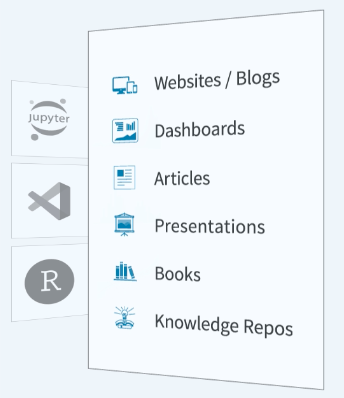
Screenshot from quarto's website showing it can be used to create dashboards, websites, books, presentations etc.

  • Integrate text, code, graphs, tables

  • Develop slides, websites, books

  • Use R, Python

  • The slides, practice problems, and the website for this course have been created using Quarto

  • For more information, please visit https://quarto.org/

Thank You!